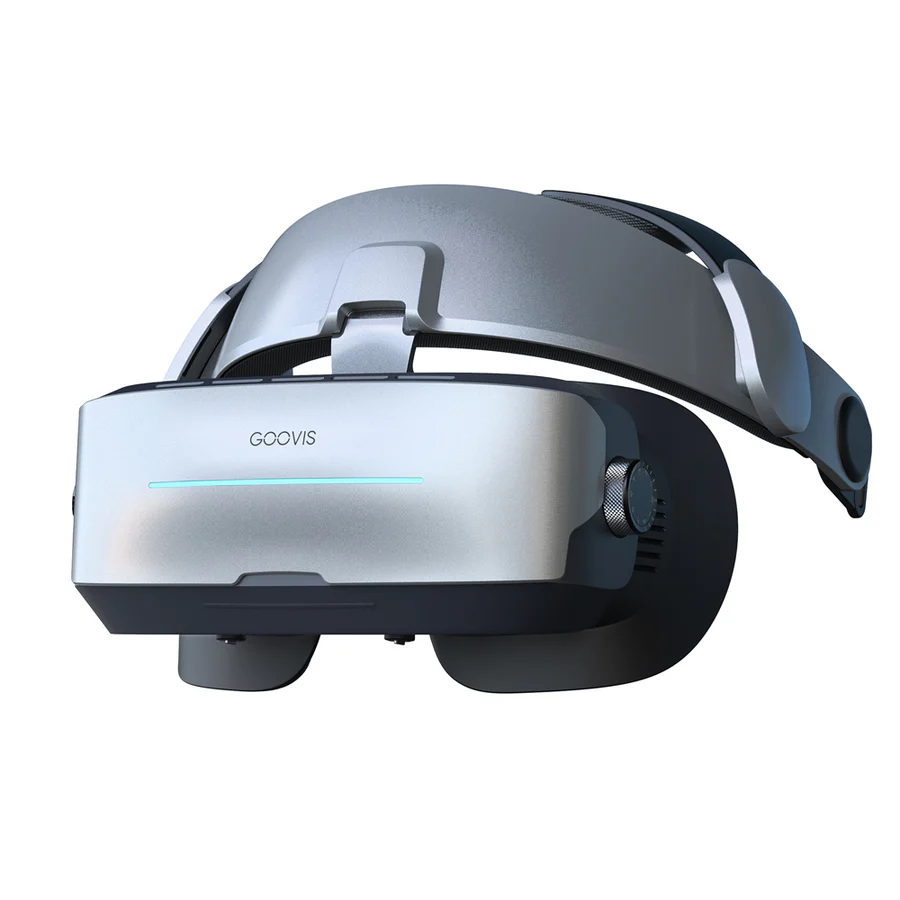
As virtual reality (VR) technology evolves, the integration of controllers with smartphone VR headsets has become increasingly popular. Many users now seek to maximize their immersive experiences by learning how to effectively use controllers alongside devices like the GOOVIS G3 Max. This article provides insights on how to set up and utilize controllers with a VR headset for a smoother and more engaging experience.
Setting Up Your VR Headset and Controllers
To begin using controllers with a VR headset, users must ensure compatibility between their headset and the chosen controllers. Most VR experiences rely on specific controller types, such as Bluetooth gamepads or purpose-built VR controllers. The GOOVIS G3 Max headset is designed to accommodate a wide range of devices, including smartphones and gaming consoles, making it a versatile choice for various VR applications.
To set up the controllers, users should first turn on their VR with headset and connect it to the compatible smartphone. This may involve a simple single-cable connection, especially when connecting to devices with USB-C video outputs. Once successfully connected, the next step is to power on the controller and ensure it is in pairing mode. Most controllers provide an easy way to enter pairing mode, typically through pressing a designated button or combination.
Once the controller is in pairing mode, users should navigate to the Bluetooth settings on their smartphone and select the controller from the list of available devices. After successful pairing, users can launch a VR application that supports controller input. It is crucial to verify that the app recognizes the controller, as this ensures the user can fully control the experience.
Maximizing Your VR Experience with Controllers
With the controller set up and connected, users can now explore various VR applications that enhance their experience. Many VR games and experiences offer rich interactivity, allowing users to navigate virtual environments, interact with objects, and engage in gameplay more intuitively than using handheld devices alone.
The GOOVIS G3 Max headset complements this experience with its gravity-balanced ergonomics and distributed pressure points, minimizing facial pressure and providing a comfortable fit. This design ensures that users can focus on their gameplay or media viewing without discomfort, whether sitting or reclining.
Additionally, the flip-up visor design of the GOOVIS G3 Max allows users to check their surroundings without removing the headset. This feature aids in preventing accidents while using controllers in a VR environment, maintaining situational awareness and enhancing the overall experience.
By using controllers with a VR headset, users can also experience other forms of content such as virtual tours, educational programs, and social interactions. Controllers introduce an element of interactivity, allowing for a greater sense of presence in these digital spaces.
Elevating Immersion with VR Controllers
In summary, integrating controllers with a smartphone VR with headset significantly enhances the immersive experience. With the GOOVIS G3 Max providing comfort and superior visual clarity, users can unlock new levels of engagement in gaming and virtual experiences. Understanding how to effectively set up and utilize controllers paves the way for a more dynamic and enjoyable interaction with VR content, ultimately transforming the way users engage with virtual environments.
